
What the animate painting template does
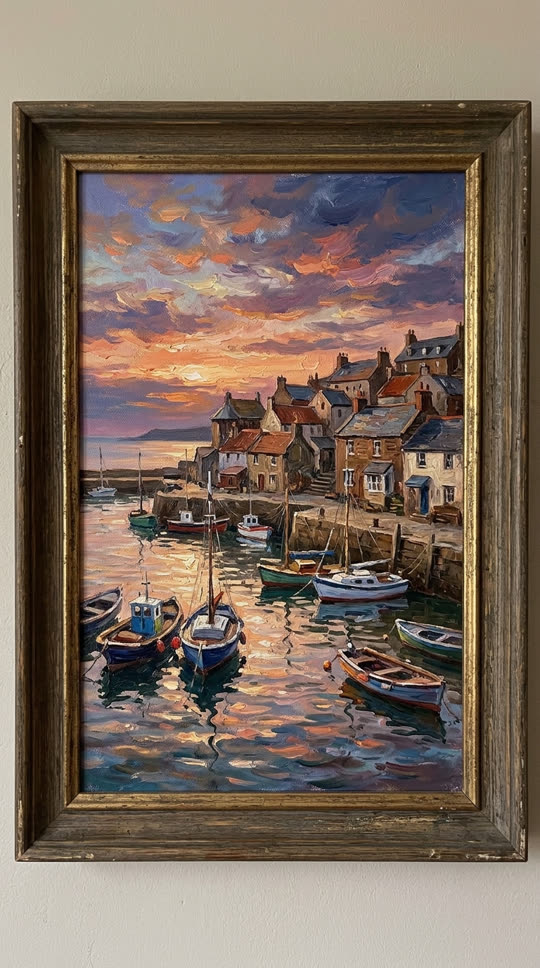
This template treats your photo as a living scene. The parts that would move in real life start to move: water ripples, boats rock, clouds drift across the sky and lights switch on in windows. The frame, the wall and the brushwork stay where they are, so it still reads as your painting rather than a new video.
It is built on ByteDance Seedance 1.0 Pro image-to-video. Each run makes one 5-second clip at 720p, which is long enough for a looping post on TikTok, Instagram Reels or YouTube Shorts.
Paintings that animate best

Landscapes, seascapes, harbors, skies, forests and city scenes give the model plenty to move. Still lifes work too: candles flicker, steam rises from a cup, petals fall.
Shoot the artwork straight on, in even light and without glare, and crop out what you do not want in the video. A sharp photo of the whole canvas gives cleaner motion than an angled phone shot of a gallery wall.
This template is meant for artwork without recognizable people. Do not upload portraits of real people or artwork you do not have the right to use.
Ideas to try
Bring an old family landscape to life for a birthday post, show a client how their commissioned piece feels in motion, or turn a print from your shop into a product teaser. Artists often post the still and the animated version side by side.
You can edit the prompt before you generate. Name the elements you want to move, such as "the river flows and the trees sway", and say what must stay still, such as "the frame does not move".
What to expect
Results depend on your image. Busy, abstract or very dark paintings can give subtle or uneven motion; the clearest results come from scenes with obvious water, sky or lights. If a generation fails or is blocked by our content checks, its credits come back automatically.
Related templates

Places look great too: try the earth zoom out template on an aerial photo of your favorite spot.
For a seasonal twist on a landscape photo, make it snow and post both versions.