AI Squish Effect: Squash Anything in Your Photo Like Dough

Hands press down on the object in your photo and squash it flat like dough before it springs back. A 5-second AI squish video.

  1. Upload one photo
  2. Keep or tweak the ready-made prompt
  3. Get a 5-second 720p video for 10 credits
Use this template

New accounts get 20 free credits. Failed or blocked videos refund their credits automatically.

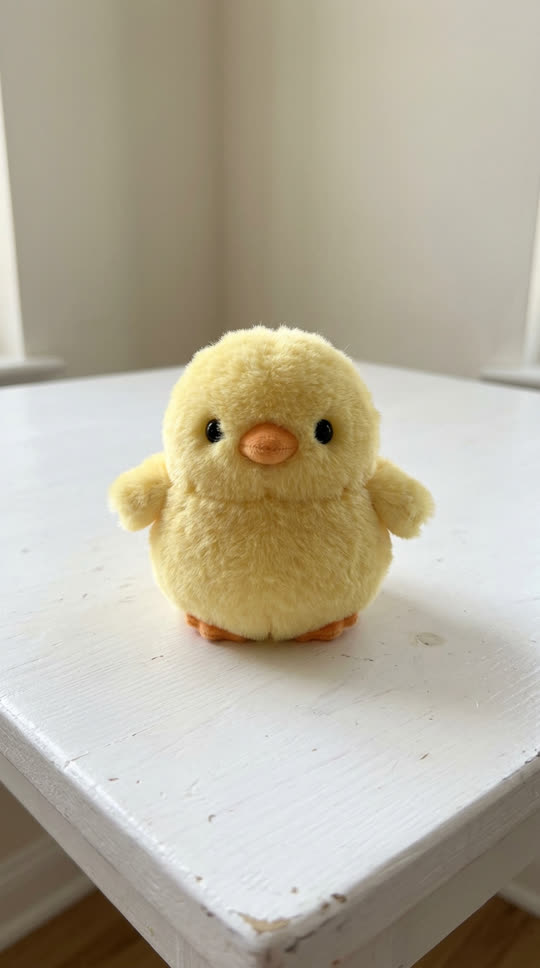

Example photo: a yellow plush toy chick on a white tableExample photo
Two hands squash the plush chick flat and it puffs back up
Result, made on VidStride
Made on VidStride from the example photo with this prompt: “Two hands press down hard on the plush toy chick and squash it completely flat like soft dough, it bulges out between the fingers, then the hands let go and it slowly puffs back up to its round shape. Close-up, static camera.”

Use the Squish effect template

Use a close photo of one soft-looking object on a table, with room above it for the hands. The prompt below is already filled in; edit it if you want a different look.

Works with pets, products, objects, places and artwork. Photos of real people are not supported by templates.

Underlying model: bytedance/v1-pro-image-to-video. Outputs are AI-generated. Review accuracy and usage rights before use.

Choose a JPG, PNG or WebP (up to 3 MiB)

10 credits per generation

Your recent results

Your result will appear here. You can leave this page and return later.

What the squish effect does

Squish videos are pure satisfaction: hands press something soft until it bulges and flattens, then let go and watch it puff back. This template does that to the object in your photo, even if it is not soft in real life, which is where the fun comes from.

Each run makes one 5-second 720p video with ByteDance Seedance 1.0 Pro image-to-video.

Photos that work best


Close-up photos of one object on a table work best: plush toys, cakes, bread, fruit, stress balls, sneakers or even a phone. Leave space above the object so the hands can come in. Good light makes the squash look tactile.

Photos of people or pets are not supported by this template.

Ideas to try

Squish a product to show it is "soft as a cloud", squash a cupcake for a bakery post, or squeeze something that should be hard for a surreal twist. Edit the prompt: "squashed by one finger", "pressed flat and stays flat" or "squeezed and bounces three times".

What to expect

Soft-looking objects squash most convincingly; hard, shiny objects may only dent. The hands are generated, so their look varies between runs. If a generation fails or is blocked by our content checks, its credits come back automatically.

Related templates

More satisfying effects: the hydraulic press template flattens objects for good, and the it's cake template reveals a surprise inside.
Questions about the Squish effect template

Whose hands appear in the squish video?

The hands are generated by AI. They are not a real person's hands and are not based on anyone's photo.

Can I squish hard objects?

Yes, that is part of the fun. Results look most realistic on soft-looking things, but you can try anything you have a photo of.

How long is the squish video?

One 5-second 720p video that follows your photo's framing, so a vertical photo gives a vertical clip.

What does it cost?

10 credits per video. New accounts get 20 free credits, and failed or blocked videos are refunded automatically.

See all templates