Catch Santa on Camera in Your Own Home

Santa sneaks into your living room, porch or fireplace photo, leaves a gift and gets caught on camera.

The Christmas Eve "Santa cam" clip, made from one photo of your own home. Santa is AI-generated: this is not a live webcam, an app or camera hardware.

Keeps your photo’s shape5s720pWith sound

Works with one photo of a room, porch or fireplace. Photos of real people are blocked before a run. Leave the box empty to use this template’s prompt, or write your own.

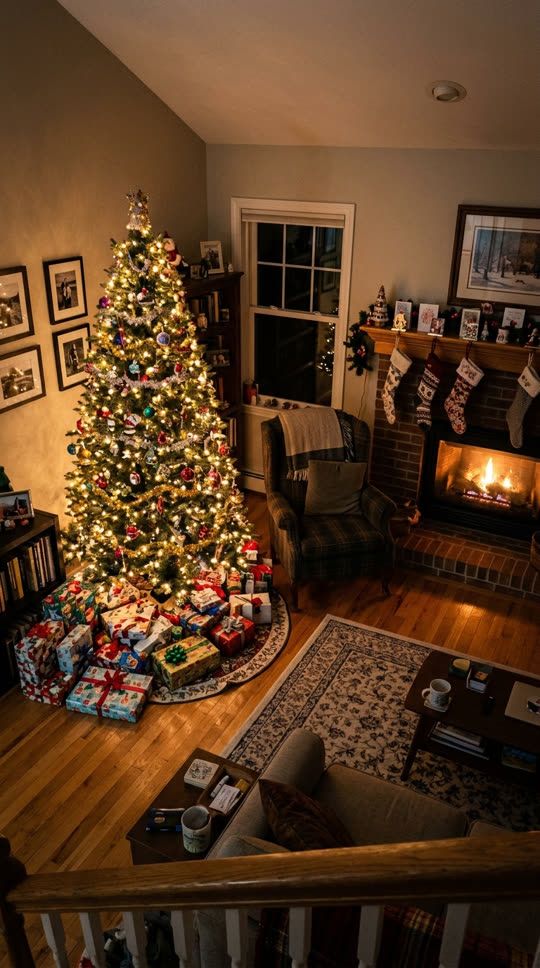

Example photo: a living room at night with a lit Christmas tree and gifts, seen from a high cornerExample photo
Santa Claus sneaks in, leaves a gift under the tree and puts a finger to his lips at the camera
Result, made on VidStride
Made on VidStride from the example photo with this prompt: “Santa Claus in a red suit with a white beard, carrying a sack of presents, tiptoes in from the right side of the frame, kneels and places a wrapped gift under the Christmas tree, notices the camera, smiles and puts a finger to his lips, then sneaks back out of frame. Static locked-off camera, wide-angle home security camera look at night, slightly grainy, no on-screen text or timestamp, no cuts. The room and objects stay as in the photo.”

Use one photo of your room, porch or fireplace with no people in it. A still or screenshot from your doorbell or indoor camera looks the most like real footage. Each video costs 10 credits. New accounts get 20 free credits; 480p previews play in the browser, and downloads need any purchase, which unlocks 720p HD. Want different motion? Write your own with Photo to Video.

More Santa Caught on Camera results

Each one was made on VidStride from the example photo with the prompt printed under it, using Grok Imagine Video 1.5; the videos you make include sound.

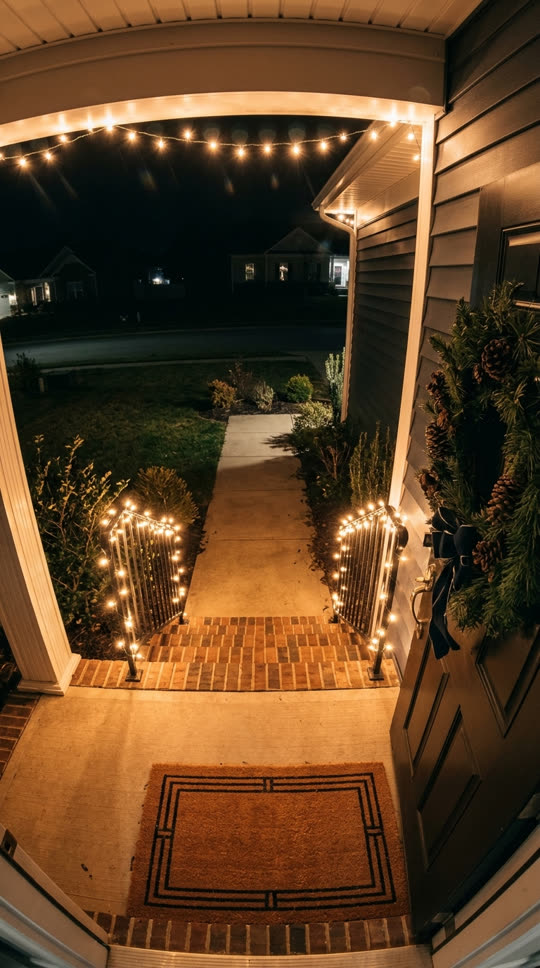

  • Example photo: a decorated front porch at night, seen from doorbell heightExample photo
    Santa walks up the path, leaves a present on the welcome mat and waves at the doorbell camera
    Result

    “Santa Claus in a red suit with a white beard walks up the front path carrying a sack, sets a wrapped present on the welcome mat, looks up at the doorbell camera, waves cheerfully and hurries back down the steps. Static doorbell camera view at night, slight fisheye, no on-screen text, no cuts. The porch stays as in the photo.”

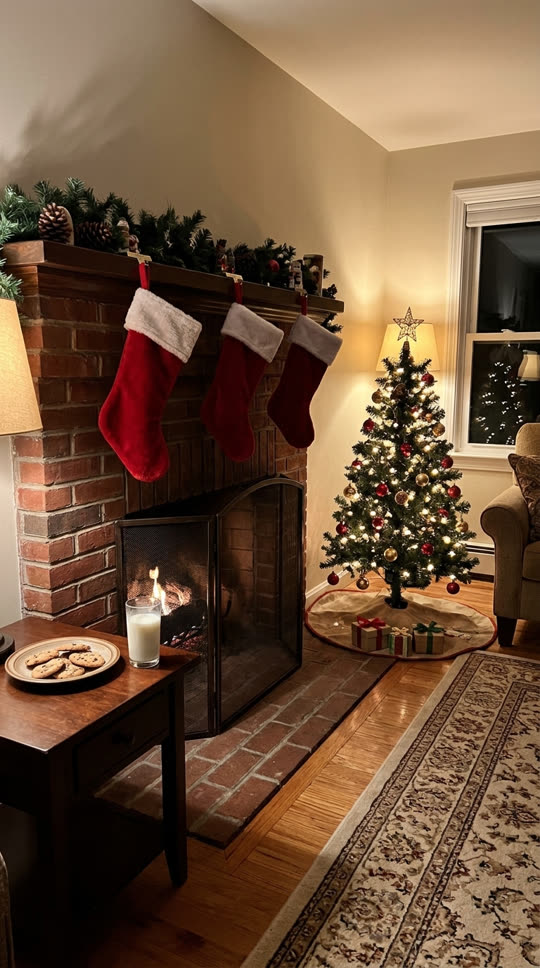

  • Example photo: a brick fireplace with stockings and a plate of cookies and milkExample photo
    Santa climbs out of the fireplace, takes a bite of a cookie and winks at the camera
    Result

    “Santa Claus in a red suit with a white beard climbs out of the fireplace, brushes soot off his sleeves, picks up a cookie from the plate and takes a bite, slips a small gift into a stocking, then winks at the camera. Static locked-off camera, wide-angle home security camera look at night, slightly grainy, no on-screen text or timestamp, no cuts. The room and objects stay as in the photo.”

What the Santa caught on camera template makes

Every December, families share "Santa caught on camera" clips: grainy footage from a doorbell or indoor camera that shows Santa slipping in on Christmas Eve. This template makes that clip from one photo of your own home. Santa walks into your shot, leaves a present and reacts to the camera, while your room, porch or fireplace stays as it is in the photo.

Each run makes one 5-second AI Santa video with sound using xAI Grok Imagine Video 1.5 through our video provider. Free accounts get 480p previews that play in the browser; downloads need any purchase, which unlocks 720p HD. The three examples on this page were made with that model.

Santa cam: three different things people look for

A live Santa cam is a stream that shows Santa, his elves and reindeer at the North Pole, usually run by Christmas sites and Santa Claus Village in Rovaniemi. If that is what you want, a live webcam site is the right place; this page does not stream anything.

A Santa cam ornament is a small camera-shaped decoration that hangs on the tree so children believe Santa is watching. It is a physical toy, and you buy it from a shop.

A Santa cam video is a clip that looks like your own doorbell or indoor camera caught Santa on Christmas Eve. That is the one this template makes: upload one photo of your home and Santa appears in it.

Three scenes to start from

Living room: Santa tiptoes in, leaves a gift under the tree and puts a finger to his lips. Porch: he walks up the path, sets a present on the welcome mat and waves at the doorbell camera. Fireplace: he climbs out, takes a cookie and winks. The example photos on this page are AI-generated demo images, not customers' homes.

The prompt box comes filled with a version that works for any of these. Edit it to match your photo, for example "fills the stockings" for a fireplace or "leaves a box on the doormat" for a porch.

Photos that work best

A wide view from a little above, like a doorbell or indoor camera, gives Santa room to walk in. A still or screenshot from your own camera at night looks the most like real footage; a normal phone photo works too.

Leave some open floor, steps or path where Santa can stand, and keep people and pets out of the shot. Photos showing real people are blocked before a run.

Sharing the video

The video has AI-generated sound, not music. It is a holiday keepsake for your family; if you post it publicly, follow the platform's rules for labelling AI-generated video.

This page does not stream a live Santa webcam or track Santa's sleigh. It makes one short video from your photo.

What to expect

Five seconds covers a short visit: Santa walks in, does one or two things and reacts to the camera. The model can change small details in the room, bring Santa in from a different side or skip the gift; a second run or a more specific prompt usually helps. Santa's face and suit are generated, so they differ from run to run.

If a generation fails or is blocked by our content checks, its credits come back automatically.

Related templates

Want the same photo with falling snow? Try the snow effect template.

Want to write your own Christmas scene? Use Photo to Video.

See every effect in the video templates library.
Questions about the Santa Caught on Camera template

Is this a live Santa cam?

No. It is not a live webcam or a Santa tracker. You upload one photo of your home and get a 5-second AI-generated video of Santa visiting it.

Do I need a doorbell or security camera?

No. A still or screenshot from a doorbell or indoor camera looks the most like real footage, but a normal phone photo of the room, porch or fireplace works too.

Can I put my kids in the video with Santa?

No. Photos of real people are blocked before a run. Use a photo of the space without people; Santa is the only person in the video.

Can Santa say my child's name?

No. The video has AI-generated sound and you cannot script Santa's words. You can add a voice-over or a caption in your editor before sharing.

Can I change what Santa does?

Yes. Edit the prompt to describe your photo, for example eating the cookies, filling the stockings or leaving a present on the porch.

How long is the video, and what does it cost?

Each run makes one 5-second video for 10 credits. New accounts get 20 free credits, enough for two 480p previews that play in the browser; downloads need any purchase, which unlocks 720p HD. Failed or blocked videos are refunded.

See all templates